Table of Contents
Introduction
Creating a puzzle book sounds simple until you actually try to build one from scratch.
A logic grid puzzle needs more than an attractive page. You have to create a story, choose categories, write clues, make sure the clues work together, verify the solution, prepare an answer key, and then format everything correctly for publishing.
For someone who wants to publish puzzle books on Amazon KDP, this process can become quite time-consuming.
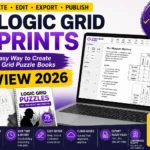
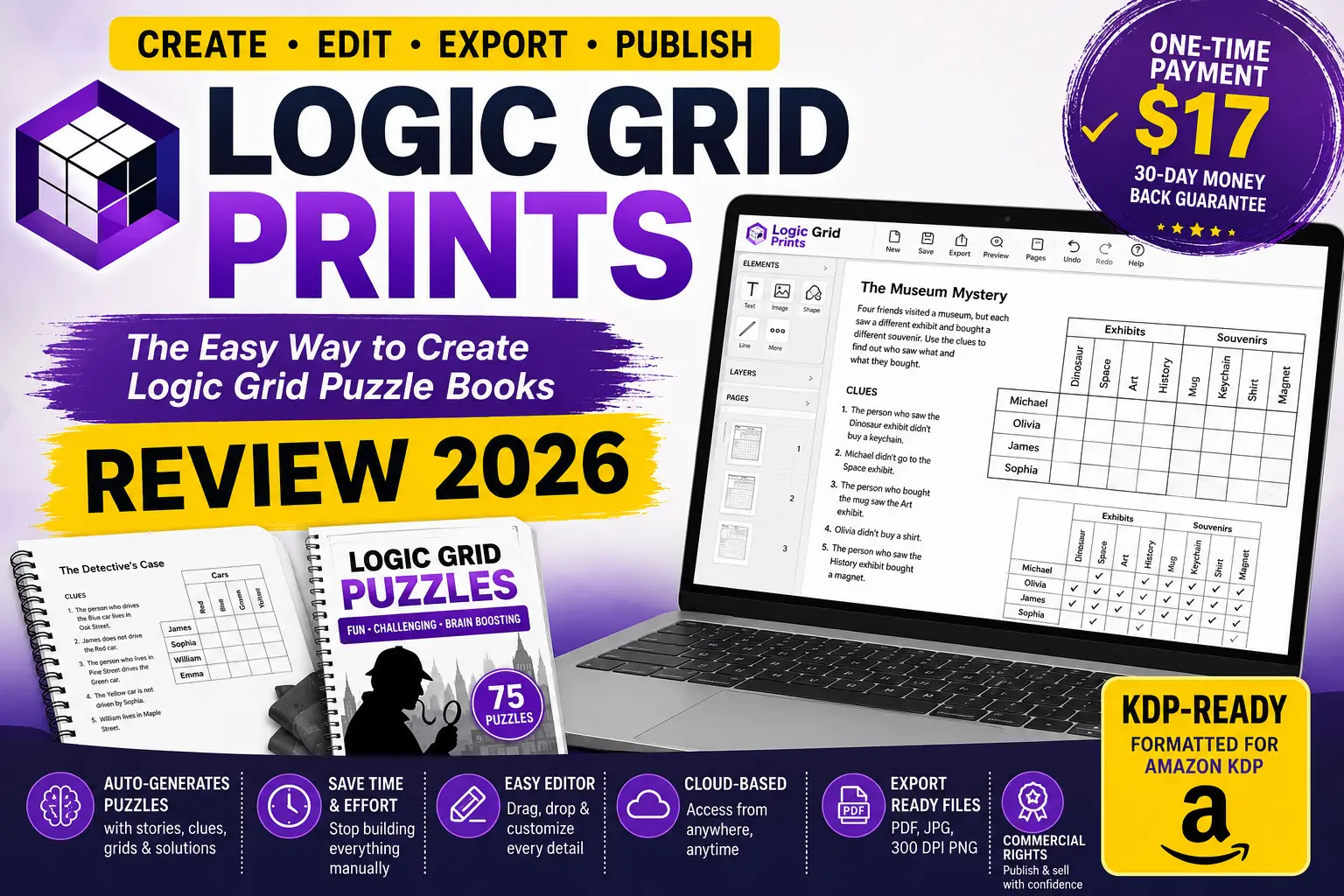
Logic Grid Prints is designed to simplify that workflow. According to its official sales page, it is a browser-based tool that can generate complete logic grid puzzles, provide solutions, arrange the content in a visual editor, and export files in formats suitable for publishing.
The current launch offer listed on the sales page is $17 as a one-time payment, reduced from a displayed regular price of $97. The offer also includes a 30-day money-back guarantee according to the vendor.
But is Logic Grid Prints actually useful for KDP publishers?
In this Logic Grid Prints Review 2026, we’ll look at what the software does, its main features, who it is designed for, pricing, commercial rights, pros and cons, and whether it could fit into your publishing workflow.
Product Details
| Product Name | Logic Grid Prints |
| Vendor | davidtran6 |
| Official Website | www.logicgridprints.com |
| Bonuses | Access Your Bonuses |
| Pricing | $17 |
| OTO’s | Yes |
| Money-Back Guarantee | 30 Days |

What Are Logic Grid Prints?
Logic Grid Prints is a cloud-based puzzle creation application designed specifically for people who want to create logic grid puzzle books and printable puzzle products.
Instead of manually creating every puzzle and formatting every page, the software combines puzzle generation and page design into one workflow.
The basic idea is straightforward:
Generate → Design → Export → Publish
The puzzle engine can generate a complete puzzle containing a title, themed story, playable logic grid, and answer key. The platform also includes a visual editor where users can arrange text, images, shapes, and pages before exporting the finished project.
This makes it different from a simple puzzle generator because the tool is intended to cover both puzzle creation and book formatting.
Since it operates through a web browser, there is no traditional desktop installation required. The vendor states that it works through a browser on computers with an internet connection.
⚙️ How Does Logic Grid Prints Work?
Logic Grid Prints is built around a simple workflow that takes you from puzzle creation to a finished printable file.
1. 🧩 Choose Your Puzzle Settings
You can start by selecting the type of puzzle you want to create, along with available themes and difficulty options. This gives you a starting point instead of having to design the entire puzzle structure manually.
2. ✍️ Generate the Puzzle
Once your settings are selected, the software generates the puzzle content. According to the product information, the generated puzzle can include the story, logic grid, clues, and answer key.
The tool is designed to validate the generated puzzle so that the solution can be checked before you use it in a finished book.
3. 🎨 Customize the Pages
After generating the puzzle, you can use the built-in visual editor to customize the design.
You can work with elements such as the following:
- Text
- Images
- Shapes
- Page layouts
- Layers
- Alignment
- Other visual elements
This gives you more control over the appearance of the final puzzle book instead of simply exporting an uneditable template.
4. 📖 Build Your Puzzle Book
Multiple puzzles can be combined into a larger project to create a complete puzzle book.
The Starter plan listed on the sales page supports up to 75 puzzles per book, although the exact limits can depend on the plan you purchase.
5. 📤 Export Your Finished Project
Once your pages are ready, you can export the project in supported formats such as PDF, JPG, and 300 DPI PNG.
For KDP publishers, PDF can be particularly useful for preparing the interior file, while image exports can be useful for other printable or digital projects.
6. 🚀 Publish or Sell Your Creation
After exporting, you can review the final file and prepare it for your chosen marketplace or publishing platform.
For Amazon KDP, it’s still important to check the final dimensions, margins, bleed settings, content, and file quality against Amazon’s current publishing requirements before uploading.
🚀 Key Features of Logic Grid Prints
1. Automatic Puzzle Generation
One of the main features is the ability to generate complete logic puzzles without manually constructing every clue and solution.
According to the vendor, users can choose a theme and difficulty level and generate puzzles containing the story, playable grid, and answer key.
This can be useful for publishers who want to create multiple puzzle books rather than spending hours constructing each puzzle individually.
2. 22 Built-In Themes
The Starter plan includes 22 built-in themes, giving creators different directions for developing puzzle books.
Having multiple themes can also help publishers create separate books instead of repeating exactly the same concept throughout their catalog.
3. Up to 75 Puzzles Per Book
The product page states that the Starter plan can generate up to 75 puzzles per book.
This provides enough material for creating a substantial puzzle collection, depending on the desired book length and layout.
4. WYSIWYG Design Editor
Logic Grid Prints includes a visual editor based around a what-you-see-is-what-you-get (WYSIWYG) workflow.
You can arrange elements on the page and preview how the layout will appear before exporting it.
The editor includes tools for text, shapes, images, copying and pasting elements, grouping, layers, alignment, and page management.
5. KDP-Ready Page Sizes
Formatting is one of the more difficult parts of self-publishing.
The software includes eight KDP-standard page sizes, with options for bleed and no-bleed layouts and trim guides.
This can reduce the amount of manual formatting required before uploading a puzzle book to Amazon KDP.
However, publishers should still review their final files against Amazon KDP’s current publishing requirements before uploading.
6. Multiple Export Formats
The software supports exporting projects as
- JPG
- 300 DPI PNG
The vendor also states that users can download an individual puzzle or an entire book.
This gives creators some flexibility beyond Amazon KDP, particularly if they want to use their puzzle designs as printable products.
7. Cloud-Based Access
Logic Grid Prints runs in a web browser rather than requiring a traditional software installation.
That means users can access the application from a supported computer with an internet connection without dealing with software installation or updates.
8. Commercial Rights
The Starter plan includes commercial rights to creations made with the software, according to the product page.
However, there is an important distinction: the Starter plan does not include PLR rights.
So users should understand the license before attempting to resell the software itself or distribute the underlying assets.
👥 Who Is Logic Grid Prints Best For?
Logic Grid Prints is mainly designed for people who want to create and publish logic puzzle content without building every puzzle and page manually. It can be useful for several types of creators.
📚 Amazon KDP Publishers
KDP publishers can use the tool to create collections of logic puzzles and prepare them for publishing. The built-in page sizes and export options can make the formatting process easier.
It’s particularly relevant for publishers who want to build a catalog of puzzle books rather than producing only one title.
🧩 Puzzle Book Creators
If you enjoy creating brain games and printable puzzles, Logic Grid Prints can help automate much of the puzzle-building process.
Instead of manually developing every clue and solution, you can use the software’s generation features and then customize the resulting pages.
💻 Digital Product Creators
The ability to export puzzles as PDF, JPG, and PNG files means the tool may also be useful for creators who sell or distribute printable puzzle products through appropriate marketplaces.
Before selling any exported material, however, you should always check the current commercial license and the rules of the platform you’re using.
🎨 Designers Who Want More Control
The built-in visual editor is useful for creators who don’t want to accept the generated layout exactly as it appears.
You can adjust text, images, shapes, layers, and page elements to create a more personalized final design.
🚀 Beginners in Self-Publishing
Someone new to puzzle publishing may find Logic Grid Prints easier than starting with a blank design application.
The combination of puzzle generation, templates, editing tools, and export options provides a more structured workflow.
🏢 Freelancers & Small Publishing Businesses
Freelancers or small publishing teams creating puzzle-related products for clients may also find the software useful, particularly when multiple puzzle books or printable projects need to be produced.
✅ Logic Grid Prints Pros & Cons
Before buying any puzzle creation tool, it’s useful to look at both its advantages and limitations. Here is a balanced overview of Logic Grid Prints based on the product information.
👍 Pros
- Automated puzzle generation can reduce the time needed to create puzzles manually.
- Includes 22 built-in themes on the Starter plan.
- Supports up to 75 puzzles per book on the Starter plan.
- Includes a visual page editor for customizing layouts.
- Provides KDP-oriented page sizes for easier book formatting.
- Supports PDF, JPG, and 300 DPI PNG exports.
- Works through a web browser, so traditional software installation isn’t required.
- The vendor states that the Starter plan includes commercial rights for creations.
- Can be useful for both KDP books and printable puzzle products.
👎 Cons
- You still need to review generated puzzles and layouts before publishing.
- The Starter plan has limits on features, themes, and puzzle quantities compared with higher-tier options.
- PLR rights are not included with the Starter license, so you shouldn’t assume you can resell or redistribute the underlying software or assets.
- An internet connection is required because the tool is browser-based.
- It may be unnecessary for creators who only make an occasional puzzle.
- KDP formatting should still be checked against Amazon’s latest requirements before publishing.
❓ Frequently Asked Questions (FAQs)
1. What are logic grid prints?
Logic Grid Prints is a web-based tool designed to help users create logic grid puzzle books and printable puzzle content. It combines puzzle generation, page editing, and file exporting in one workflow.
2. Can logic grid prints create complete puzzles?
Yes. The software should be able to produce structured logic puzzles (story, clues, playable grid, answer key).
3. How many puzzles can I make?
According to the vendor, the Starter plan allows for up to 75 puzzles per book. Exact limits depend on plan and current offer.
4. Can I use Logic Grid prints on Amazon KDP?
The software is oriented to KDP publishing with KDP-oriented page sizes and export options. Always double-check the final file with Amazon KDP’s latest formatting and content requirements before publishing.
5. Commercial rights for Logic Grid Prints?
The vendor says the Starter plan gives you the right to sell anything you create with the software. However, commercial rights are not the same as PLR rights, so users should always check the current license carefully.
6. Is there a subscription service for Logic Grid Prints?
The current front-end offer is a one-time payment rather than a monthly recurring subscription. Prices and terms may change. See the retailer’s site for the current offer.
7. Is Logic Grid Prints worth buying?
It can be worth considering if you want to create multiple logic puzzle books or printable puzzle products and want to reduce the manual work involved in generating and formatting them.
However, the software itself doesn’t guarantee sales. Your results will still depend on puzzle quality, niche selection, book design, publishing strategy, and marketplace demand.
⭐ Final Conclusion
After looking at its features, workflow, pricing, and limitations, Logic Grid Prints looks like a useful option for people specifically interested in creating logic puzzle books and printable puzzle products.
Its strongest point is that it combines several parts of the publishing process into one workflow. Instead of manually creating every puzzle and then moving between different applications for formatting and exporting, users can generate puzzles, customize the pages, and prepare their files from the same platform.
The 22 themes, support for up to 75 puzzles per book, visual editor, KDP-oriented layouts, and multiple export formats make it particularly interesting for creators who plan to build a larger puzzle catalog.
However, it’s important to keep expectations realistic. A puzzle-generation tool doesn’t guarantee book sales or Amazon KDP success. You’ll still need to choose appropriate topics, create attractive covers, review every puzzle, check formatting, write a good listing, and follow KDP’s publishing policies.