Table of Contents
Introduction
If you’re looking to make books, workbooks, or activity products with AI, you’ve probably come across a number of tools designed to make the publishing process easier. You might want to look at BrightBook Studio and EchoBooks AI.
But which one is better for beginners?
In this BrightBook Studio vs. EchoBooks AI comparison, we’ll compare their features, workflow, ease of use, pricing, limitations & ideal users. The idea is not to tell you to use one tool or the other but to help you understand which one makes more sense for your particular project.
Both tools can be helpful, but they are created with different publishing needs in mind.
BrightBook Studio vs. EchoBooks AI: Quick Comparison
Before going into the details, here is a simple overview of the two platforms.
| Feature | BrightBook Studio | EchoBooks AI |
| Vendor | maiaanderson2000 | leosterling |
| Main purpose | Activity and creative book prompt generation | Children’s educational workbook creation |
| Best for | Colouring books, word searches, and activity books | Sight-word and spelling workbooks |
| AI-generated prompts | Yes. | Yes. |
| Final book files | No, prompts are generated. | Yes, print-ready files are generated. |
| Audio support | No | Yes. |
| Word-search books | Yes. | No |
| Colouring books | Yes. | Limited/not the main focus |
| KDP-focused workflow | Yes. | Yes. |
| Etsy-friendly | Yes. | Yes. |
| External AI image tool | Required | Not required for the core workbook workflow |
| Starting price mentioned | $12 launch price | $17 one-time |
The biggest difference is the type of product each platform is designed to help create.

Difference Between BrightBook Studio and EchoBooks AI
What Is BrightBook Studio?
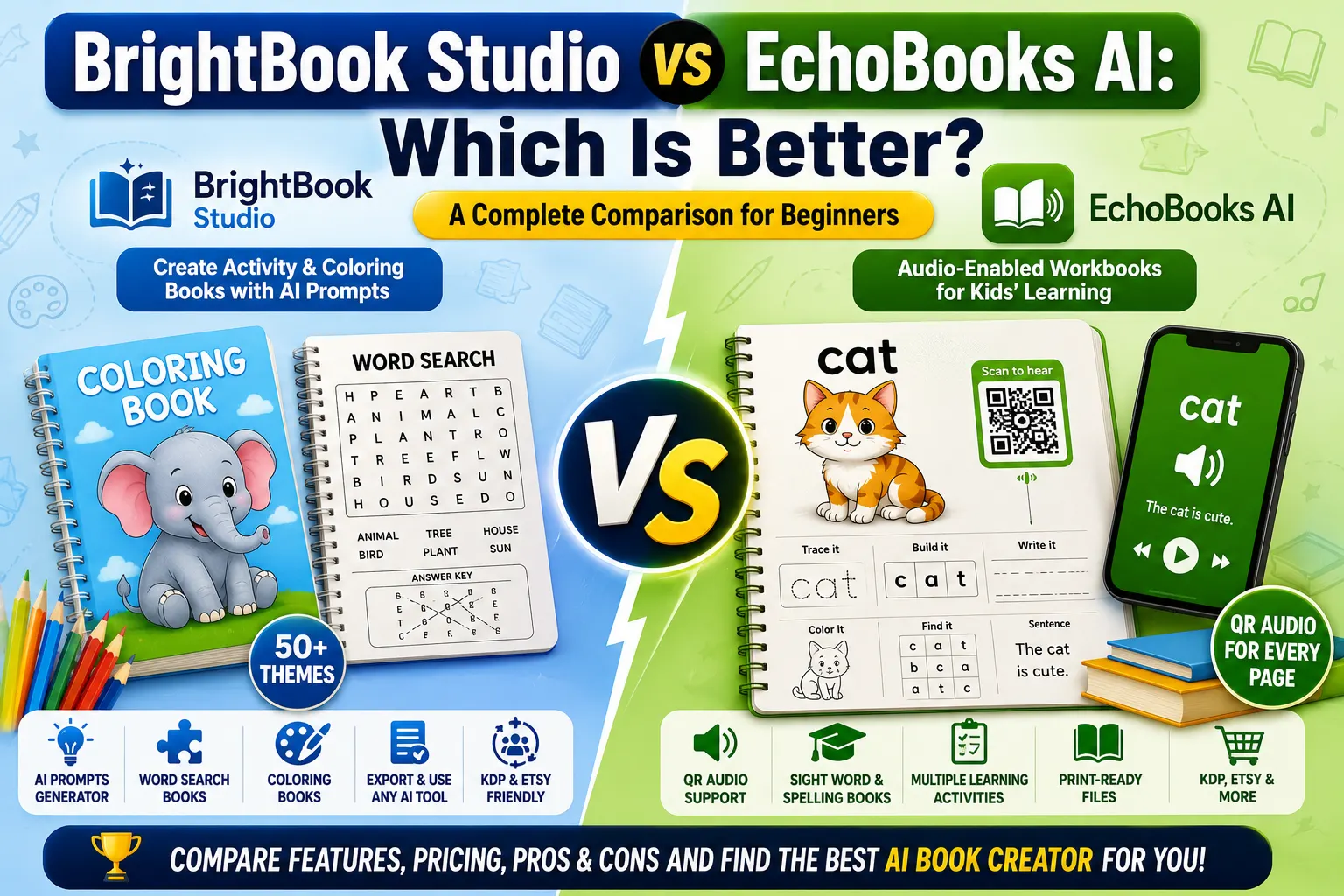
BrightBook Studio is an AI-assisted tool designed for people who want to create activity books, colouring books, word-search books, and similar printable products.
Instead of manually writing prompts for every page, the platform takes a basic book idea and turns it into a structured AI prompt.
The tool can help organise elements such as the activity, theme, target age, language, page count, puzzle structure, and answer key.
One useful aspect of BrightBook Studio vs. EchoBooks AI is that BrightBook Studio focuses more heavily on creative activity-book concepts.
It includes more than 50 themes across different activity and book categories. The platform also offers automatic theme detection, which can make the initial setup easier for beginners.
However, there is an important limitation: BrightBook Studio does not create the final images itself. The generated prompts need to be used with an AI image-generation tool.
What Is EchoBooks AI?
EchoBooks AI takes a different approach.
It is designed primarily for children’s educational workbooks, where each page can include audio support. The system uses QR codes so a child or parent can scan a page and hear the related word or learning content.
For example, a workbook page can teach a word by presenting the word, spelling it, using it in a sentence, and including several activities around it.
This makes EchoBooks AI particularly relevant for publishers who want to create sight-word, spelling, and early-learning workbooks.
When comparing BrightBook Studio vs. EchoBooks AI, EchoBooks AI is more specialised toward educational learning products rather than general activity-book concepts.
BrightBook Studio vs. EchoBooks AI: How Do They Work?
BrightBook Studio Workflow
The basic workflow is relatively straightforward:
- Choose a book idea.
- Select an activity type.
- Choose an age group.
- Select a theme or let the software detect one.
- Choose the desired language and page count.
- Generate the structured AI prompt.
- Use the prompt with an external AI image-generation tool.
- Prepare the final book for publishing.
BrightBook Studio can therefore reduce the time spent planning and writing prompts.
The important point is that the tool acts primarily as a prompt-generation and book-structuring assistant. You still need another AI tool for producing the final visual content.
EchoBooks AI Workflow
EchoBooks AI follows a more complete production workflow.
Users can select a supported word list, choose a theme and voice, and generate a workbook package.
The system can produce elements such as
- Workbook interior
- Full-wrap cover
- Audio content
- QR codes
- Answer keys
- Certificate
- Amazon listing information
The platform is therefore more focused on taking a learning concept toward a finished publishing package.
BrightBook Studio vs. EchoBooks AI: Features
BrightBook Studio Features
Some of the main features include
Activity Book Creation: The platform can help structure colouring books, word-search books, and other activity-based products.
50+ Themes: A selection of themes gives creators ideas for different audiences and niches.
Automatic Theme Detection: The software can help identify an appropriate theme based on the book concept.
Prompt Generation: Instead of manually creating detailed prompts for each page, the tool structures the prompt for you.
Answer Key Support: For suitable puzzle formats, prompts can include matching answer-key instructions.
Local AI Option: BrightBook Studio supports local AI through Ollama for prompt generation, which can be useful for users who want to avoid API-based per-token charges for this part of the workflow.
EchoBooks AI Features
EchoBooks AI includes a different set of features.
Audio-Enabled Workbooks: QR codes can connect individual pages with audio content.
Educational Word Lists: The system supports selected children’s word lists for early learning and spelling activities.
Multiple Page Activities: A word page can include activities such as reading, colouring, building, tracing, writing, correcting, reading a sentence, and finding the word.
Print-Ready Output: The system is designed to produce files suitable for publishing workflows.
Cover Creation: Users can receive a full-wrap cover designed around the workbook.
Listing Package: The package can include a title, description, backend keywords, category suggestions, and other listing information.
Which Tool Is Easier for Beginners?
Ease of use depends heavily on what you want to create.
If you are completely new to AI-generated activity books, BrightBook Studio can make the planning and prompt-writing stage easier. You provide an idea, and the software helps turn it into a structured prompt.
However, beginners should remember that another AI image tool is needed to turn those prompts into final visuals.
EchoBooks AI can be easier for someone who specifically wants to create educational children’s workbooks because more of the production process is handled inside one workflow.
Therefore, BrightBook Studio vs. EchoBooks AI does not have one universal winner when it comes to ease of use.
For activity-book creators, BrightBook Studio may feel more natural. For educational workbook creators, EchoBooks AI may require fewer separate steps.
BrightBook Studio vs. EchoBooks AI: Pricing
Pricing is another important consideration.
BrightBook Studio has been promoted with a launch price of around $12, although pricing can change depending on the current offer.
EchoBooks AI has been offered at around $17 as a one-time payment, with no recurring subscription mentioned for the core product.
This means both products are positioned as relatively low-cost tools compared with manually outsourcing book creation.
However, price should not be the only deciding factor.
For BrightBook Studio, you may also need access to an external AI image-generation platform. Depending on the service you choose, that could introduce additional costs.
EchoBooks AI has a more complete workflow, but its value depends on whether you actually need the educational and audio features.
Who Should Choose BrightBook Studio?
BrightBook Studio may be a better fit if you are:
- Creating colouring books
- Interested in word-search books
- Making activity books for children
- Selling printable products on Etsy
- Publishing activity books on KDP
- Looking for creative book concepts
- Comfortable using external AI image tools
- Interested in experimenting with different themes
For these users, BrightBook Studio vs. EchoBooks AI becomes less about which software is technically better and more about which publishing model fits their goals.
Who Should Choose EchoBooks AI?
EchoBooks AI may be more suitable if you want to create:
- Sight-word workbooks
- Spelling workbooks
- Early-learning materials
- Audio-supported educational books
- Children’s learning products for KDP
- Educational products with QR-code audio
- Structured workbook packages
It can be especially useful for creators who want more than just prompts and prefer a workflow that produces several publishing assets together.
BrightBook Studio vs. EchoBooks AI: Pros and Cons
BrightBook Studio Pros
- Beginner-friendly concept and prompt workflow
- Useful for activity and colouring books
- Supports word-search projects
- More than 50 themes
- Automatic theme detection
- Local AI option for prompt generation
- Useful for KDP and Etsy creators
- Relatively low entry price
BrightBook Studio Cons
- Does not create the final images
- Requires an external AI image-generation tool
- Additional editing may be necessary
- Results depend partly on the AI tool used for rendering
- Beginners may need some time to learn the complete workflow
EchoBooks AI Pros
- Focused on educational children’s workbooks
- Includes audio functionality
- QR codes can connect pages with audio
- Multiple learning activities can be included
- Print-ready publishing workflow
- Cover and listing resources included
- Useful for KDP-focused creators
- One-time pricing for the core product
EchoBooks AI Cons
- Publishing and marketplace results are not guaranteed.
- More specialised than BrightBook Studio
- Not designed primarily for general colouring or word-search books
- Less flexible if your goal is broad creative activity book publishing
BrightBook Studio vs. EchoBooks AI: Which One Should You Buy?
The answer depends on the type of book you want to create.
If your main goal is to create activity books, colouring books, or word-search products, BrightBook Studio is the more relevant choice. Its prompt-based workflow gives you flexibility to experiment with different themes and book concepts.
If your goal is to create educational children’s workbooks involving sight words, spelling, and audio, EchoBooks AI is likely the more appropriate option.
Another important difference is the production workflow.
BrightBook Studio is more of a creative planning and prompt-generation system. EchoBooks AI is closer to a complete educational workbook production system.
So, in the BrightBook Studio vs. EchoBooks AI decision, think about your end product first rather than simply choosing the cheaper option.
Frequently Asked Questions
1. Is BrightBook Studio Superior to EchoBooks AI?
Neither is better in all cases. BrightBook Studio is more suited for activity, colouring, and word-search books, while EchoBooks AI is more suited for educational children’s workbooks.
2. Can beginners use BrightBook Studio?
Yes. Its prompt-generation workflow is designed to simplify the planning process. However, users still need an external AI image tool to generate the final visual content.
3. Does EchoBooks AI create audio workbooks?
Yes. EchoBooks AI is designed around workbooks that can include QR-linked audio, allowing users to connect pages with spoken learning content.
4. Can I use BrightBook Studio for KDP?
Yes. The tool is designed to help creators develop book concepts and structured prompts that can be used for KDP-orientated activity-book projects. Final publishing preparation is still the creator’s responsibility.
5. Can I use EchoBooks AI for Etsy?
The product is also relevant to creators who sell educational printables and related products on platforms such as Etsy, although marketplace results depend on the product and seller.
6. Does BrightBook Studio generate final images?
No. BrightBook Studio primarily generates structured prompts. An external AI image-generation tool is needed to create the final visual pages.
7. Does EchoBooks AI require an external AI image generator?
Its core workflow is more complete than a prompt-only tool and is designed to produce workbook assets. The exact capabilities can depend on the current product version and available features.
8. Which one is cheaper?
BrightBook Studio has been offered at around $12 during its launch promotion, while EchoBooks AI has been offered at around $17 as a one-time purchase. Prices can change, so check the current offer before purchasing.
9. Which tool is better for colouring books?
BrightBook Studio is the more relevant option because colouring books are one of the activity formats it focuses on.
10. Which tool is better for educational workbooks?
EchoBooks AI is the stronger fit if your goal is sight words, spelling, and audio-supported educational workbooks.
Final Conclusion
Both platforms are solving different problems, so it would be unfair to say one is an outright winner for every user.
BrightBook Studio is a good option for creators looking for flexibility and interested in activity books, colouring books, word searches, and other creative printable products. This is particularly handy if you already use or plan to use an external AI image-generation tool.
EchoBooks AI is better for creators who want to make structured educational workbooks for children with features like audio, QR codes, learning activities, answer keys, covers, and listing resources.
Overall, BrightBook Studio vs. EchoBooks AI comes down to your publishing objective.
Choose BrightBook Studio if you are looking for creative activity books. If you prefer to publish educational, audio-supported workbooks, use EchoBooks AI.
Whatever tool you choose, just remember that using AI does not guarantee sales on KDP, Etsy, or any other marketplace. The quality and originality. The editing. The market research. The publishing choices. The compliance with the marketplace policies. All that still matters.