Table of Contents
Introduction
Creating funny animal comics sounds simple until you actually try to make them.
You need a character idea, an art style, a funny situation, a clear joke, panel instructions, and a prompt that an AI image generator can understand.
If you want the same character to appear across several panels, things become even more complicated.
This is where Pet Comic Prompt Studio takes a different approach.
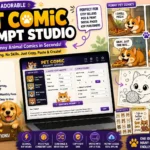
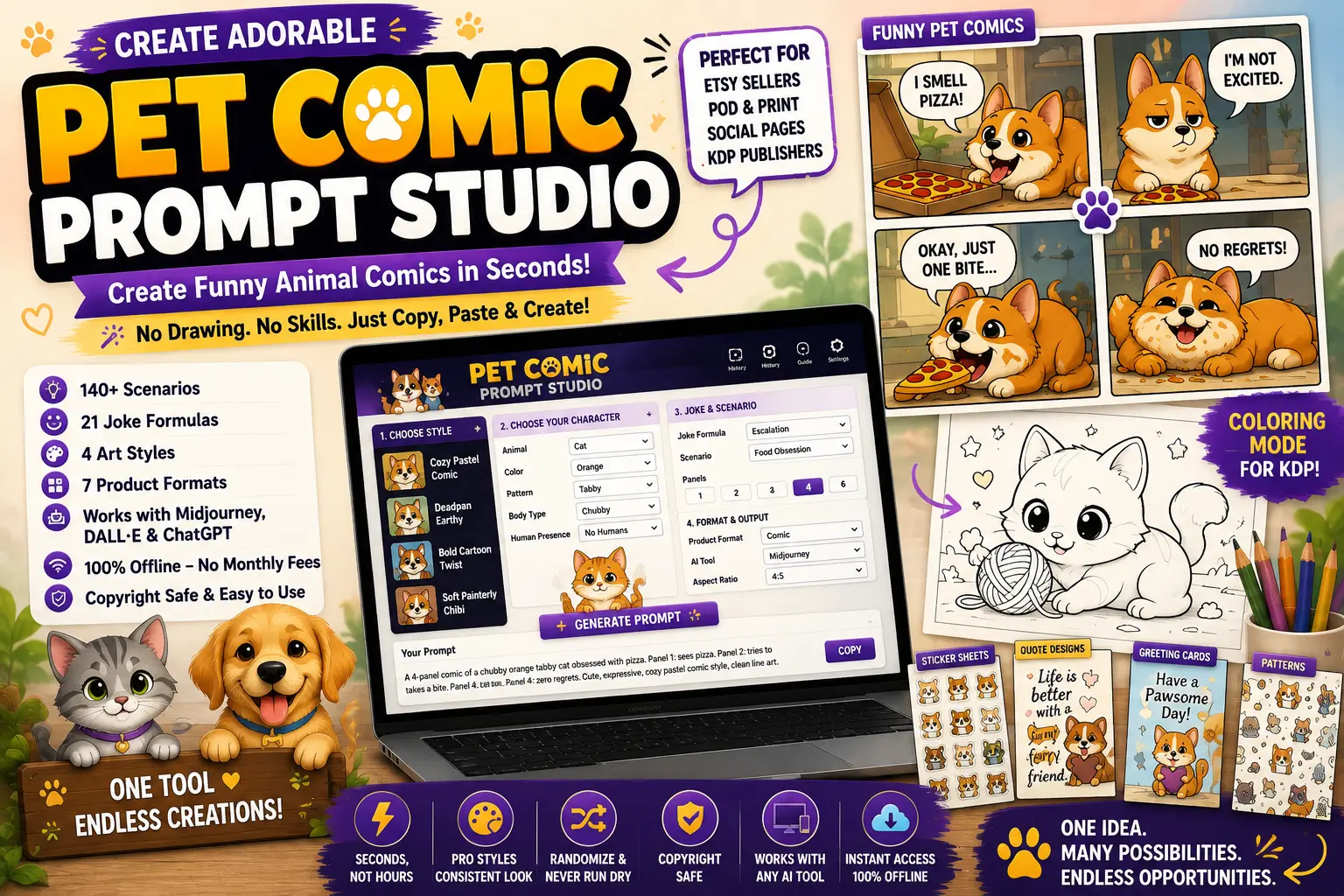
Instead of generating the artwork itself, the tool helps users create structured prompts for AI image-generation platforms such as Midjourney, DALL·E, and ChatGPT. Users choose options such as the animal, appearance, art style, joke formula, scenario, and output format, and the application combines those choices into a ready-to-copy prompt.
The resulting prompts can be used as a starting point for creating pet comics, stickers, quote designs, greeting cards, memes, patterns, and other visual content.
The product also includes options for coloring pages, story comics, mystery comics, and KDP book covers.
In this Pet Comic Prompt Studio Review 2026, we’ll look at how it works, its main features, potential uses, pricing, bonuses, advantages, limitations, and who may find it useful.
Product Overview
| Product Name | Pet Comic Prompt Studio |
| Vendor | Luci Emma |
| Pricing | $17 |
| Official Website | www.petcomicpromptstudio.com |
| Bonuses | Access Your Bonuses |
| OTO’s | Yes |
| Guarantee | 30 Days |

What Is Pet Comic Prompt Studio?
Pet Comic Prompt Studio is a prompt-building application designed specifically for funny animal comics.
The idea behind it is fairly straightforward.
Instead of manually writing something like
“Create a funny four-panel comic about a cat…”
Users select different options inside the application.
These can include:
- Pet type
- Color or pattern
- Body type
- Human presence
- Art style
- Joke formula
- Scenario
- Panel layout
- Product format
- AI image tool
- Aspect ratio
The application then combines those selections into a structured prompt that can be copied into an AI image generator.
This makes it more of a prompt workflow tool than a traditional image generator.
🚀 Key Features of Pet Comic Prompt Studio
🐱 140+ Comic Scenarios
The application includes more than 140 scenarios according to the current sales page.
The scenarios cover different types of pets and situations, including:
- Cats
- Dogs
- Birds
- Small pets
- Food and objects
- Seasonal themes
This can be useful when you’re struggling to come up with new comic ideas.
Instead of starting with a blank prompt, you can select a scenario and build from there.
😂 21 Joke Formulas
A funny image isn’t necessarily a funny comic.
The joke needs a structure.
Pet Comic Prompt Studio includes 21 joke formulas, with examples such as the following:
- Escalation
- Deadpan
- Ironic twist
- Whodunit
- Caught red-handed
- Tiny-but-mighty
- Slapstick
These formulas give creators different ways to structure the situation and punchline.
For someone who isn’t naturally comfortable writing jokes, this could be one of the more useful parts of the tool.
🖼️ Multiple Product Formats
One of the biggest advantages of the tool is that it isn’t limited to traditional comic strips.
The current version supports seven product formats:
- 🗯️ Comics
- 💬 Quote designs
- 🎀 Sticker sheets
- 🔁 Patterns
- 💌 Greeting cards
- 😹 Memes
- 📕 Book covers
This means one general pet concept can potentially be adapted into different types of visual content.
For example, a funny cat concept could become the following:
Comic → Sticker → Greeting Card → Social Post
That flexibility may be useful for creators who want to test different product formats.
🎨 Coloring Mode
Pet Comic Prompt Studio also includes a Coloring Mode.
According to the sales page, this mode turns an idea into black-and-white line-art prompts designed for coloring pages.
This could be useful for creators working on:
- Coloring books
- Printable activities
- KDP coloring books
- Kids’ activity resources
- Adult coloring concepts
However, generated artwork should always be checked carefully before publishing.
🕵️ Pet Mystery / Whodunit Comics
Another interesting feature is the Whodunit option.
The system can create mystery-style pet comics around scenarios such as a missing cookie or an overturned plant.
The concept uses multiple pet suspects, clues, and a final reveal.
This gives creators an alternative to standard one-joke animal comics.
It could also be useful for experimenting with:
- Detective comics
- Activity books
- Puzzle-style content
- Children’s mystery concepts
📖 Story Mode
Pet Comic Prompt Studio also offers a Story + Dialogue mode.
Instead of creating a simple visual gag, the tool can generate prompts for a comic containing:
- Title
- Panel captions
- Speech-bubble dialogue
- Sound effects
The product page says creators can choose between a wordless comic and a fuller story format.
This can make the tool more suitable for people who want to create longer comic sequences rather than single-panel images.
🤖 Supports Multiple AI Image Tools
The generated prompts can be formatted for several AI platforms.
The front-end supports:
- Midjourney
- DALL·E
- ChatGPT
- Universal format
This is useful because users aren’t locked into one specific image generator.
The Universal option can also be used as a starting point for other AI image tools.
⚙️ How Does Pet Comic Prompt Studio Work?
The workflow has three basic stages.
Step 1: Choose Your Style & Character
First, select the art style.
Then choose details such as:
- Cat
- Dog
- Duck
- Rabbit
- Object/food
- Color
- Pattern
- Body type
- Human presence
This establishes the visual direction of the prompt.
Step 2: Choose a Joke & Scenario
Next, choose a joke formula and scenario.
You can also use the randomization options if you don’t have a specific idea.
Then select the number of panels:
- 1 panel
- 2 panels
- 4 panels
- 6 panels
Step 3: Generate, Copy & Paste
Finally, choose:
- Product format
- Target AI tool
- Aspect ratio
Then click Generate.
The finished prompt can be copied and pasted into the selected AI image generator.
So the actual workflow is:
Choose → Generate Prompt → Copy → Paste Into AI Tool → Generate Image → Review/Edit
🛍️ What Can You Create With It?
There are several possible applications.
Etsy Products
The product page suggests using generated pet artwork for products such as
- Sticker packs
- Printable wall art
- Greeting cards
- Digital downloads
Before listing AI-assisted products, sellers should review Etsy’s current policies and disclose AI use where required.
👕 Print-on-Demand
Funny animal artwork can potentially be adapted for the following:
- T-shirts
- Mugs
- Stickers
- Posters
- Other POD products
The prompt tool provides different aspect ratios and formats that can make this workflow easier.
📱 Social Media
The tool can also be used for social content.
The sales page specifically mentions platforms, including:
- TikTok
A creator could build a themed page around something like the following:
Funny Cats
or
Pet Comics
and create recurring content around the same general concept.
Of course, using the tool doesn’t guarantee followers, engagement, or viral reach.
📚 KDP Comic Books
The product also targets KDP creators.
Users can generate multiple comics around a consistent theme and then use the included guide to assemble them into a book.
The vendor specifically states that users still need to generate the images and assemble the book themselves.
Creators publishing AI-generated content on KDP should also follow Amazon’s current AI-content disclosure requirements.
🎁 What Bonuses Are Included?
The current offer includes four bonuses.
Bonus #1: 50 Best-Selling Niches & Titles
This bonus provides 50 pet niches and title/angle ideas intended for KDP, Etsy, and POD projects.
This can help if you know you want to create pet products but aren’t sure which theme to start with.
Bonus #2: 50 Viral Captions & Hooks
This bonus contains caption and hook ideas for social media content.
The purpose is to make it easier to turn generated comics into social posts.
The word “viral” should be treated as marketing language rather than a guarantee of social-media performance.
Bonus #3: 12-Month Content Calendar
The content calendar provides pet-related seasonal and holiday ideas throughout the year.
This could help creators plan content around events instead of searching for new ideas every week.
Bonus #4: Comics → KDP Book Guide
The final bonus provides a step-by-step guide for turning generated comics into a KDP book.
It covers areas such as the following:
- Trim size
- Page count
- Cover
- Upload process
This may be particularly useful for beginners who have never created a KDP comic book before.
💰 Pet Comic Prompt Studio Pricing
The current sales page lists a $17 launch price as a one-time payment. The page also shows a higher reference price of $97.
The front-end offer is described as:
- One-time payment
- No monthly fees
- Instant access
- Free updates
- Offline use
👥 Who Is Pet Comic Prompt Studio Best For?
🧵 Etsy Sellers
Useful for creators interested in pet-themed stickers, printables, cards, and digital products.
👕 POD Sellers
Can provide a structured way to generate ideas for shirts, mugs, and stickers.
📱 Social-Media Creators
Useful for pages focused on funny animals, memes, or comic content.
📚 KDP Publishers
Potentially useful for creators who want to experiment with pet comics, coloring, or activity books.
💡 Creators With Idea Block
The large scenario library and randomization features can provide starting points when you don’t know what to create next.
✅ Pros & Cons of Pet Comic Prompt Studio
👍 Pros
- 🐾 Designed specifically for pet comics
- 🎨 4 included art styles
- 💡 140+ scenarios
- 😂 21 joke formulas
- 🛍️ 7 product formats
- 🎨 Coloring Mode included
- 📖 Story mode available
- 🕵️ Whodunit/mystery mode available
- 📕 KDP cover prompt generator
- 🤖 Supports multiple AI tools
- 📐 Multiple aspect ratios
- 🔀 Randomize and Surprise Me features
- 📋 Prompt history
- 💵 One-time purchase
- 🎁 Four bonuses included
- 🆓 Free updates according to the sales page
👎 Cons
- ❌ Does not generate the actual images
- ❌ Requires a separate AI image-generation tool
- ❌ AI image usage may have separate costs
- ❌ Generated images still require review
- ❌ Commercial AI-image rights depend on the relevant tool and jurisdiction
- ❌ Marketplace policies still apply
- ❌ No guaranteed sales or social-media results
- ❌ Advanced features are available through optional upgrades
❓ Frequently Asked Questions
1. What is Pet Comic Prompt Studio?
Pet Comic Prompt Studio is a prompt-generation application designed to help users create structured AI prompts for funny animal comics and related visual content.
2. How many scenarios are included?
The current front-end package includes 140+ scenarios.
3. How many joke formulas are available?
The application includes 21 joke formulas covering different comedic structures.
4. Can I use it for Etsy products?
The sales page lists Etsy use cases, including stickers, printable wall art, greeting cards, and digital downloads. Users should follow Etsy’s current policies for AI-assisted content.
5. Can I create KDP books with it?
Yes, it can be used to generate comic content and cover prompts for KDP projects. However, you still need to generate the images and assemble the finished book yourself.
6. Do I need drawing skills?
No drawing skills are required to use the prompt builder. However, you still need an AI image tool to generate the artwork and should review the results before publishing.
7. Does it guarantee sales?
No. The product does not guarantee income, followers, sales, or specific results. The vendor states that results depend on factors including the user’s effort, chosen AI tool, and market.
⭐ Final Conclusion
Pet Comic Prompt Studio is best understood as a specialized prompt-building tool for people who want to create funny animal artwork with AI.
Its main strength isn’t simply the number of prompts.
It’s the structured workflow.
You choose a character, art style, joke formula, and scenario, and the tool turns those selections into a formatted prompt for your chosen AI image generator.
The addition of multiple product formats makes it more flexible than a basic comic-prompt collection.
A single idea could potentially be developed into a comic, sticker, greeting card, pattern, meme, or social post.
The Story, Whodunit, Coloring, and Book Cover features also expand the types of projects users can experiment with.
⭐ My Rating: 4.4/5
Best For:
- Etsy sellers
- POD creators
- Pet-content creators
- KDP publishers
- Social-media page owners
- Beginners using AI image tools
- Creators who struggle with writing prompts